Learn StreamPush artist-triggered overlays and campaigns
Yes. StreamPush Campaigns trigger visual overlays based on track metadata including artist name. When a specific artist track plays, the campaign displays social handles, Spotify follow links, tour dates, or promotional graphics. Overlays can include images, text, QR codes, and live chat links. Campaigns run automatically whenever the trigger condition matches, so artist promotions appear during their tracks without manual intervention. Every campaign impression is tracked with viewer counts and engagement metrics.
- Set artist name as trigger condition and display their Spotify link or social handles automatically
- Include QR codes, images, text overlays, and chat messages in your metadata-triggered campaigns
- Track every campaign impression with viewer counts and engagement data in your dashboard
Campaign configuration details
Genre focused labels sign artists to grow profiles, not just collect royalties. 24/7 streams offer continuous exposure, but that value is lost when viewers do not know how to follow the artist playing. Manual promotion is impossible when tracks rotate automatically through thousands of catalog items. StreamPush Campaigns solve this by displaying artist specific overlays whenever a trigger condition matches. When Artist X plays, viewers see a Spotify link. When Artist Y plays, viewers see tour dates. This automation turns passive listening into actionable artist discovery without staff monitoring or manual overlay updates.
How metadata triggers work
StreamPush Campaigns use track metadata fields as trigger conditions. Set artist name equals a specific value to trigger an overlay when that artist plays. Triggers can also use album, genre, release date, or custom metadata fields. Multiple conditions combine with AND/OR logic for complex triggers. Campaigns activate automatically whenever the now-playing track matches the condition.
Overlay content options
Campaign overlays support multiple content types. Include images like promotional graphics or artist photos. Add text overlays with social handles, tour dates, or announcements. Generate QR codes that link to Spotify, tickets, or merchandise. Trigger chat messages to appear in the live chat simultaneously. Overlays display for a configurable duration while the trigger condition remains active.
Campaign tracking and analytics
StreamPush tracks every campaign impression in your dashboard. See how many times each campaign displayed, how many viewers were present, and engagement metrics for interactive elements. This data shows which artists and campaigns drive the most engagement. Use analytics to optimize your campaign strategy over time.
Use cases for artist promotion
Common campaigns include artist Spotify follow links, new release announcements, tour date promotions, merchandise links, and label social media follows. Some labels create campaigns for every artist on the roster with their standard promotion links. Others create campaigns only for priority artists or active releases. Both approaches work within the StreamPush Campaigns system.
| Trigger type | Use case | Example |
|---|---|---|
| Artist name | Artist promotion | Show Spotify link when Artist X plays |
| Album | New release campaign | Display pre-save QR on new album tracks |
| Genre | Playlist promotion | Link to genre Spotify playlist |
| Custom metadata | Tour dates | Show dates for artists on tour |
| Time-based | Scheduled promotion | Display sponsor message at set times |
Campaigns in production
StreamPush clients use Campaigns to automate artist promotion across their 24/7 streams. Labels create campaigns for roster artists displaying Spotify links and social handles. Campaign analytics show which promotions drive the most engagement. This automation converts passive listening into artist discovery without manual effort from the label team.
| Metric | Change |
|---|---|
| Trigger types | Artist, album, genre, custom |
| Overlay content | Images, text, QR codes |
| Chat integration | Automatic chat messages |
| Analytics | Impressions, viewers, engagement |
| Campaigns included | Unlimited |
| Plan coverage | Included |
Based on StreamPush Campaigns feature capabilities.
Overlay trigger options
- Labels create campaigns for roster artists displaying Spotify links and social handles automatically
- Campaign analytics show impressions, viewers present, and engagement per campaign
- Unlimited campaigns included in StreamPush plans by default
StreamPush Campaigns features
- Metadata triggers · Trigger campaigns based on artist, album, genre, or custom metadata fields in your catalog.
- Multiple content types · Create overlays with images, text, QR codes, and synchronized chat messages.
- Campaign analytics · Track impressions, viewer counts, and engagement for every campaign in your dashboard.
- Unlimited campaigns · Create as many campaigns as needed for your roster without limits.

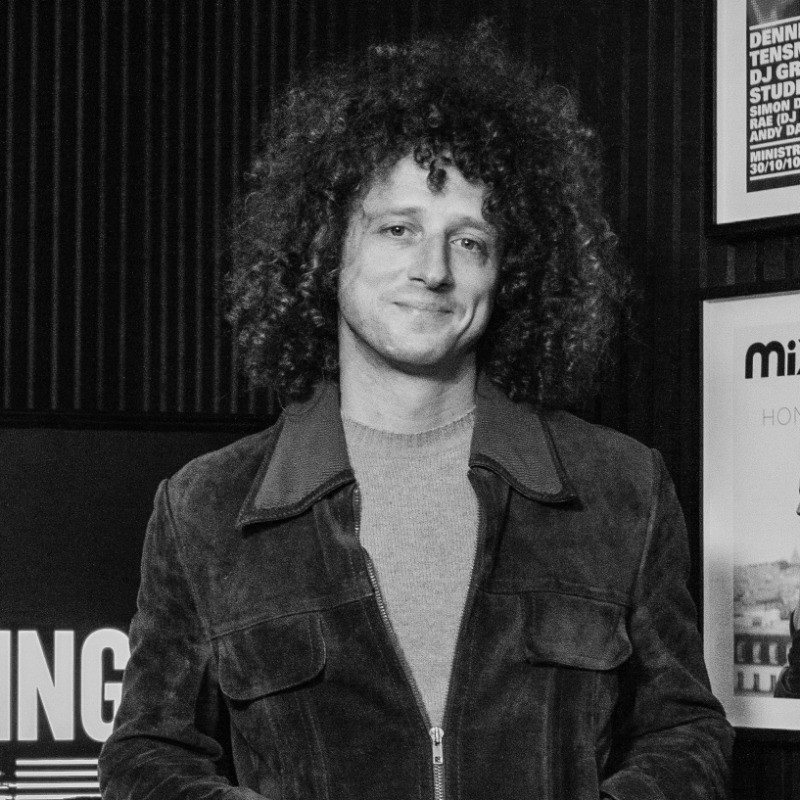
“Choosing StreamPush was a decision that set Defected Records apart. Known as the best in the business, StreamPush met all our needs and more. Thanks to their easy-to-use interface and the option to stream both live and on-demand content, we've been running a 24/7 music stream on YouTube and Twitch smoothly and without hassle for over two years. We've garnered over a million live views yearly, a testament to their robust and reliable service. The team has been quick to assist, making StreamPush a crucial part of our streaming success.”
Setting up artist-triggered overlays
Creating artist-triggered campaigns in StreamPush involves defining the trigger condition, designing the overlay content, and optionally adding a chat message. Campaigns run automatically once created. The process takes minutes per artist and campaigns remain active indefinitely.
Defining trigger conditions
Open the Campaigns section in your StreamPush dashboard and create a new campaign. Set the trigger field to artist and enter the artist name exactly as it appears in your catalog metadata. The campaign activates whenever a track with that artist name plays. You can add additional conditions using AND/OR logic. For example, trigger on artist name AND genre to show different promotions for an artist's house tracks versus their techno tracks.
Trigger condition options
Artist name matches exact value
Album name for release-specific campaigns
Genre for category promotions
Custom metadata fields you define
Designing overlay content
Design your overlay with images, text, and QR codes. Upload an artist photo or promotional graphic. Add text with their social handles or a call-to-action. Generate a QR code linking to their Spotify profile, ticket sales, or merchandise. Set the overlay duration and position on screen. Optionally trigger a chat message to post when the campaign displays. Preview the campaign before saving.
Content types
Images and promotional graphics
Text overlays with social handles
QR codes linking to any URL
Creating an artist campaign
Creating an artist-triggered campaign in StreamPush takes minutes. Define the trigger condition, design the overlay content, and save. The campaign runs automatically whenever matching tracks play on your stream.
Access the Campaigns section in your StreamPush dashboard and click to create a new campaign.
Set the trigger field to artist and enter the artist name exactly as it appears in catalog metadata.
Upload an overlay image or create a text overlay with the artist social handles or Spotify link.
Optionally generate a QR code linking to the artist Spotify profile, tickets, or merchandise store.
Save the campaign and it runs automatically whenever tracks matching the artist condition play.
Why StreamPush for artist campaigns
StreamPush Campaigns automate artist promotion across your 24/7 stream. The feature converts passive listening into artist discovery without manual effort from your team.
Metadata-based triggers
StreamPush Campaigns trigger on any metadata field in your catalog. Artist name is the most common trigger, but album, genre, release date, and custom fields also work. Combine multiple conditions with AND/OR logic for precise targeting.
Automatic activation
StreamPush campaigns run automatically when trigger conditions match. No manual intervention required. Set up campaigns once and they display whenever matching tracks play, even in the middle of the night on a 24/7 stream.
Multiple content formats
StreamPush campaign overlays support images, text, and QR codes. Upload custom graphics, add text overlays, and generate QR codes linking to any URL. Trigger chat messages simultaneously for additional engagement.
Built-in analytics
StreamPush tracks every campaign impression automatically. See how many times each campaign displayed, concurrent viewers during display, and engagement metrics. Use this data to optimize campaign effectiveness over time.
Included in subscription
StreamPush Campaigns feature is included in all plans. Create unlimited campaigns for your entire roster without per-campaign limits. The feature is designed for labels to use extensively.
FAQ: Artist-triggered overlays
Common questions about artist-triggered overlays and the StreamPush Campaigns feature, covering trigger options, overlay content types, and campaign analytics.
Ready to automate artist promotion on your stream?
StreamPush Campaigns trigger overlays based on artist and track metadata. Display Spotify links, social handles, and promotions automatically when each artist plays. Contact us to see Campaigns in action.
Book a Demo